Have you ever deleted your cookies or opened an incognito window and assumed websites could no longer recognize your browser? I used to think online tracking mostly depended on cookies and IP addresses. In reality, websites can receive many small technical details about your browser and device. Together, these details can create a digital fingerprint.
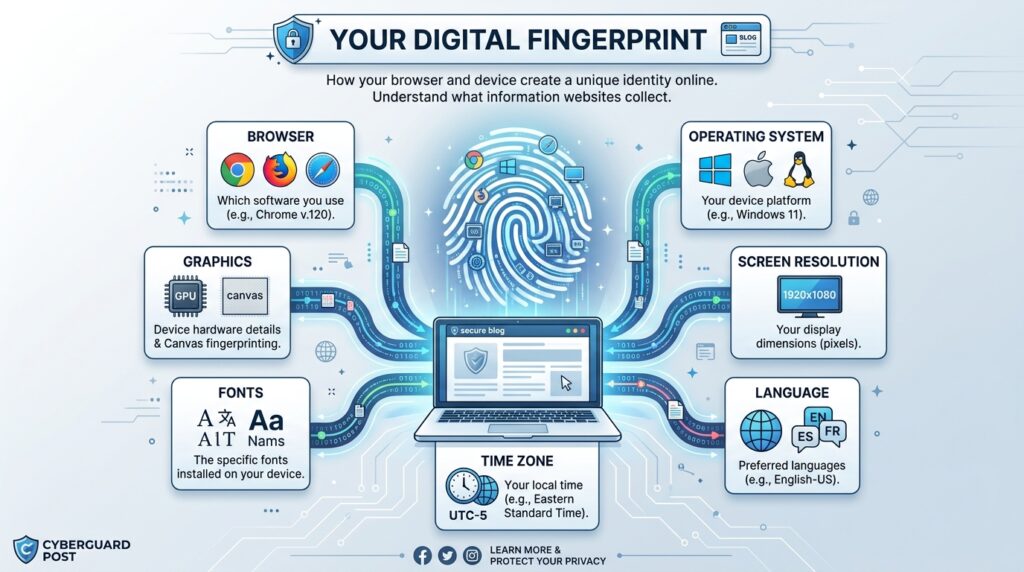
A digital fingerprint does not necessarily contain your name, email address, or home address. Instead, it may combine information such as your browser version, operating system, screen resolution, language, time zone, fonts, and hardware capabilities.
Individually, these details may reveal very little. When combined, however, they can make one browser easier to distinguish from another. That is what makes digital fingerprinting useful for security but also important from a privacy perspective.
Quick Answer: What Is a Digital Fingerprint?
A digital fingerprint is a collection of browser and device characteristics that can be combined to recognize or distinguish your browser. It may include your operating system, browser version, screen resolution, language, time zone, fonts, graphics capabilities, and other technical settings.
Unlike cookies, this information does not necessarily depend on a single identifier stored in your browser. A fingerprint can instead be generated from characteristics your browser makes available while communicating with websites.
What Information Creates a Digital Fingerprint?
Websites need certain information about your browser and device to display pages correctly. Some of these characteristics can also contribute to a digital fingerprint.
Common examples include:
- Browser type and version
- Operating system
- Screen resolution
- Device language
- Time zone
- Available fonts
- Graphics capabilities
- Audio capabilities
- Browser settings
- Touch-screen support
- Hardware characteristics
The important point is that fingerprinting usually relies on the combination of these characteristics.
Millions of people might use the same browser. Millions may also use the same operating system. But once screen size, language, time zone, graphics configuration, fonts, and other details are added, your particular combination can become more distinctive.
How Does Browser Fingerprinting Work?
Browser fingerprinting sounds technical, but the basic process is fairly simple.
When you visit a website, your browser communicates with the site’s server. Websites may also use scripts that can observe certain characteristics of your browser and device. Multiple characteristics can then be combined to create a recognizable profile.
| Stage | What Happens |
|---|---|
| Visit | You open a website |
| Collection | Browser and device characteristics become available |
| Combination | Multiple characteristics are grouped together |
| Fingerprint | The combination creates a browser profile |
| Recognition | The profile may be compared with other visits |
This does not automatically mean a website knows who you are in the real world. A fingerprint may simply indicate that a browser looks sufficiently similar to one encountered previously.
A useful browser fingerprint explanation describes how characteristics such as browser version, language, screen size, and other properties can collectively help distinguish a browser.
Digital Fingerprint vs. Cookies
Cookies and digital fingerprints can both help websites recognize visitors, but they work differently.
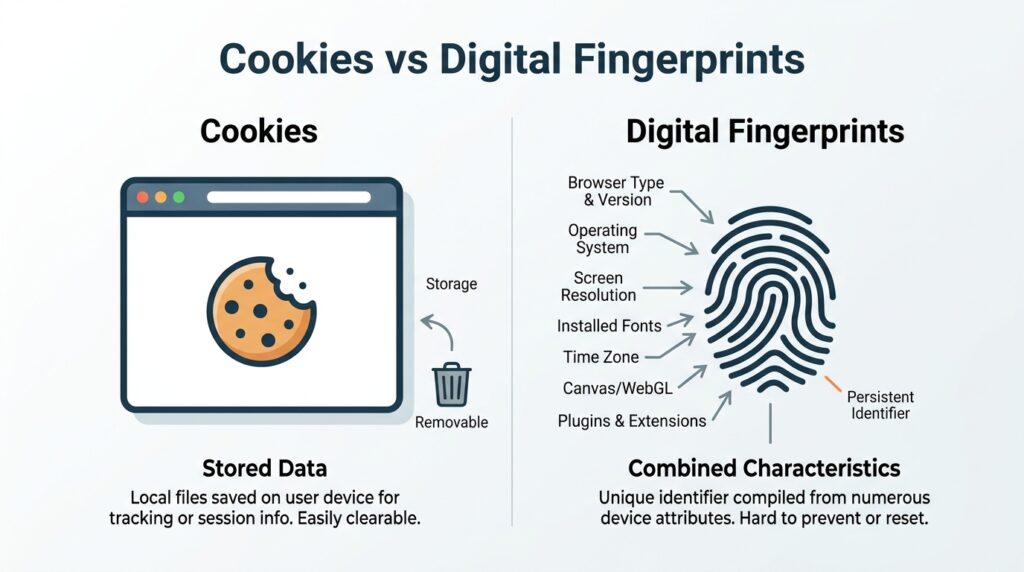
A cookie is information stored in your browser. Cookies have many useful purposes. They can keep you signed in, remember your preferences, or keep products in your shopping cart.
A digital fingerprint does not necessarily need to store an identifier.
| Cookies | Digital Fingerprints |
|---|---|
| Stored in the browser | Built from observable characteristics |
| Can usually be deleted | Cannot simply be deleted |
| Can remember logins and preferences | Can distinguish browser configurations |
| Can be restricted by browser settings | Requires different privacy protections |
| May contain an identifier | Combines multiple technical signals |
This explains why deleting your cookies does not automatically change your digital fingerprint.
Why Are Digital Fingerprints Used?
Digital fingerprinting is often discussed in connection with tracking, but recognizing browser or device characteristics can have several purposes.
Security and Fraud Detection
Device information can provide useful security signals. If an account normally appears in one browser environment but suddenly appears in a very different configuration, a service may use that change alongside other signals when assessing whether additional verification is appropriate.
Fingerprinting alone does not prove fraud. It can simply provide another piece of information for a security system.
Analytics and Website Functionality
Technical information also helps website owners understand which devices and browsers people use. Developers can use this information to identify compatibility problems and improve website performance.
Tracking
Fingerprinting becomes more controversial when it is used to recognize browsers across online activity without the type of control users may expect from conventional cookies.
This is one reason understanding browser fingerprinting has become an important part of online privacy.
What Makes a Browser Fingerprint Distinctive?
Think of a fingerprint as a puzzle.
Knowing that someone uses Chrome tells you very little because millions of other people do too. Knowing their operating system still does not narrow things down dramatically.
Now add:
- Exact browser version
- Screen dimensions
- Preferred language
- Time zone
- Graphics hardware
- Available fonts
- Browser settings
Each additional characteristic adds another puzzle piece. Eventually, the combination may become sufficiently distinctive to separate one browser configuration from many others.
Interestingly, making dozens of unusual browser modifications is not automatically better for privacy. An extremely uncommon configuration may itself become distinctive.
Can Your Digital Fingerprint Change?
Yes. A digital fingerprint is not necessarily permanent.
Updating your browser, changing your operating system, modifying hardware, adjusting settings, or switching devices can alter some of the characteristics used to construct a fingerprint.
Specialized browser profile tools can also create separate browsing environments. For example, Octo Browser provides tools to manage multiple browser profiles and their digital fingerprints within a single environment.
The important concept is consistency. Randomly changing individual fingerprint parameters does not necessarily make a browser private and can sometimes create an unusual combination of characteristics.

Does Incognito Mode Hide Your Digital Fingerprint?
Not completely.
Private or incognito browsing primarily changes how your browser handles information such as browsing history and cookies during that session. It is useful when you do not want browsing activity saved locally in the usual way.
However, opening an incognito window does not make your operating system, screen resolution, language, or browser characteristics disappear.
I find it easier to think about incognito mode as a local privacy tool, rather than an anonymity tool.
Does a VPN Hide Your Digital Fingerprint?
A VPN and a browser fingerprint address different layers of your online activity.
A VPN can change the public IP address websites see and protect traffic between your device and the VPN service. It does not automatically change every characteristic exposed by your browser.
For example, your screen resolution and browser version may remain the same after connecting to a VPN.
| Tool | Main Purpose |
|---|---|
| VPN | Changes the network address visible to websites |
| Private browsing | Limits locally stored browsing information |
| Cookie controls | Manage stored identifiers |
| Fingerprinting protection | Reduces identifying browser signals |
| Browser profiles | Separates browsing environments |
This is why using a VPN does not automatically make a digital fingerprint disappear.
Why Does Digital Fingerprinting Matter for Privacy?
Imagine deleting your cookies because you do not want a tracker connecting today’s browsing with yesterday’s session.
With traditional cookie-based tracking, removing the relevant cookie can remove that particular stored identifier. Fingerprinting works differently because recognition can be based on characteristics that your browser continues to expose.
That does not mean every browser fingerprint is perfectly unique or permanent. Characteristics can change, and browsers increasingly introduce privacy protections designed to reduce fingerprinting.
Still, the technology demonstrates why online privacy extends beyond simply deleting cookies.
If you are interested in understanding how digital technology affects everyday online behavior, our technology guides and insights explore similar topics in simple, practical language.
How Can You Reduce Browser Fingerprinting?
There is no single switch that guarantees complete protection while keeping every website functioning normally. Instead, I recommend focusing on reducing unnecessary exposure.
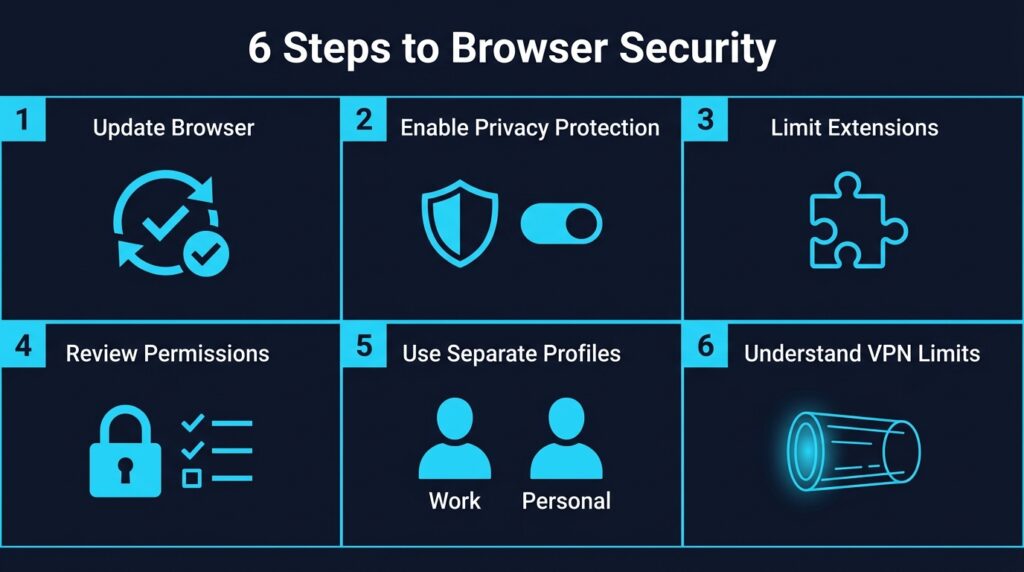
Practical steps include:
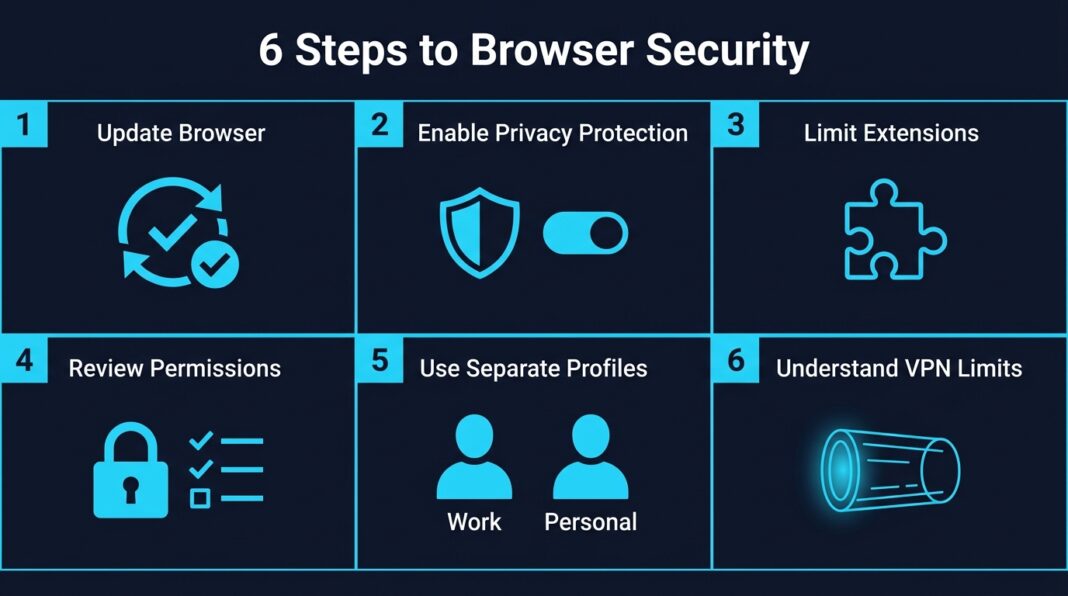
- Keep your browser updated. Modern browsers continue to improve privacy and security protections.
- Use built-in privacy features. Review your browser’s tracking-protection settings.
- Avoid unnecessary extensions. An unusual collection of extensions and configurations may make your setup more distinctive.
- Review website permissions. Avoid giving websites unnecessary access to device features.
- Separate browsing activities when necessary. Browser profiles can help keep different environments organized.
- Understand the limitations of VPNs and incognito mode. Neither automatically eliminates fingerprinting.
The goal for most people does not need to be complete invisibility. A more realistic approach is understanding what information is exposed and reducing unnecessary tracking.
Benefits and Privacy Concerns
Digital fingerprinting is a technology. Whether its use is helpful or concerning depends largely on how and why it is being used.
| Potential Benefits | Potential Concerns |
|---|---|
| Helps identify suspicious activity | Can support persistent tracking |
| Supports account security | Users may not realize it is happening |
| Provides useful device signals | Does not rely entirely on cookies |
| Can help separate browser environments | May reduce control over tracking |
| Supports fraud prevention | Creates privacy concerns |
A security system that identifies unusual logins and an advertising system that follows browsing behavior are very different uses of similar technical signals.
Context matters.
Frequently Asked Questions
What is a digital fingerprint?
A digital fingerprint is a combination of browser and device characteristics that can help distinguish one browser from another. It may include browser version, operating system, screen resolution, language, time zone, fonts, and other technical information.
Is a digital fingerprint the same as an IP address?
No. An IP address relates to a network connection. A digital fingerprint is created from multiple browser and device characteristics.
Can websites recognize me without cookies?
Potentially. Browser fingerprinting can use observable technical characteristics instead of relying entirely on traditional cookies.
Does deleting cookies remove a digital fingerprint?
No. Deleting cookies removes stored cookie data but does not automatically change your operating system, browser version, screen resolution, language, or other fingerprint characteristics.
Does incognito mode prevent browser fingerprinting?
Not completely. Private browsing limits certain locally stored information, but websites may still observe browser and device characteristics while you browse.
Does a VPN stop browser fingerprinting?
Not by itself. A VPN changes your visible network address, but many browser characteristics can remain unchanged.
Can a browser fingerprint change?
Yes. Browser updates, hardware changes, operating-system changes, and configuration changes can alter parts of a fingerprint.
Final Thoughts
A digital fingerprint is created when individual browser and device characteristics are combined into a recognizable profile. Your browser, operating system, screen, language, fonts, hardware, and settings may each contribute a small part.
For me, the most important lesson is that online privacy goes beyond cookies and IP addresses. Deleting cookies, opening an incognito window, or connecting to a VPN each solves a different problem.
You do not need to make your browser completely invisible to use the internet safely. Understanding what information your browser shares, keeping your software updated, and choosing privacy tools carefully can help you make much more informed decisions about your digital privacy.